What it is
A single-purpose desktop organizer for Windows. It draws transparent boards onto your wallpaper and lets you decide which icons go in which board, running from the system tray and nothing else.
DeskDrawer groups your Windows desktop icons, files and shortcuts into clean transparent drawers. Your files stay exactly where they are, your desktop still works like your desktop. Buy once, keep it for life.
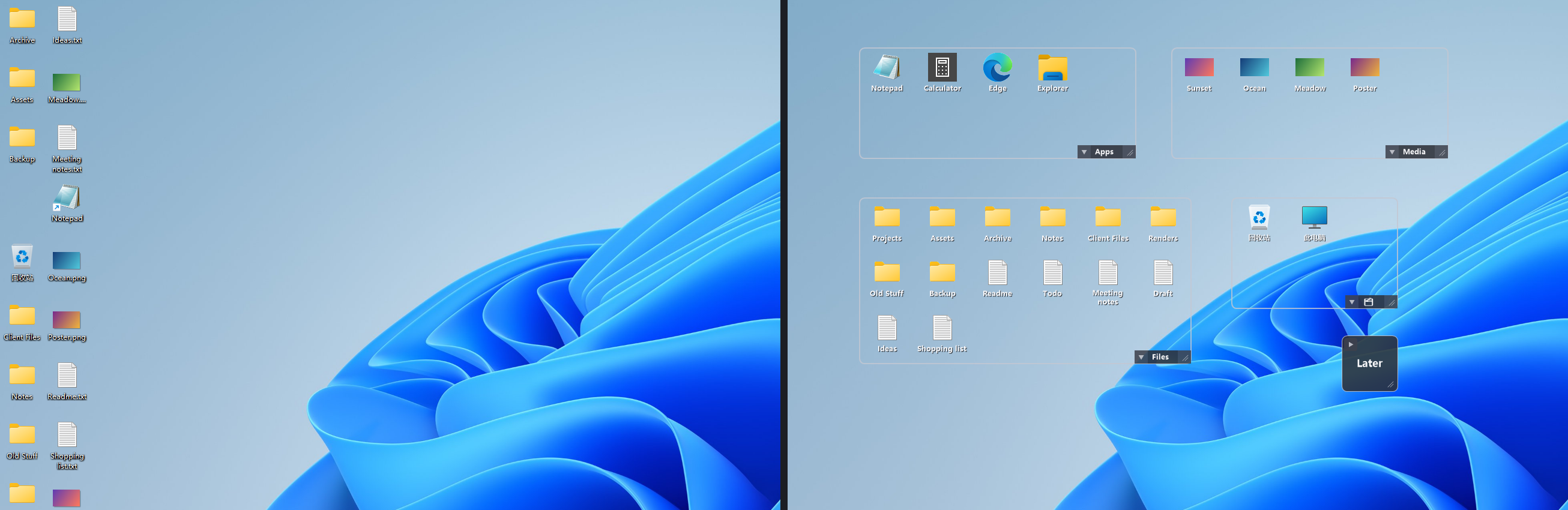
A single-purpose desktop organizer for Windows. It draws transparent boards onto your wallpaper and lets you decide which icons go in which board, running from the system tray and nothing else.
People whose desktop is a working surface — current projects, downloads, this week's files — who want it readable without installing a large personalization suite.
Not a launcher, dock, theming engine or file manager. No automatic filing rules, no plugins. The full list of limitations is public.
Six things it does well, and a great many it deliberately does not do at all.
Group desktop icons, files, folders and shortcuts into clean boards. Drag to move them, fold a board to a compact square when you need the room.
How boards workA board stores which icons belong to it — not the files. Every path, shortcut and backup rule keeps working, and uninstalling changes nothing.
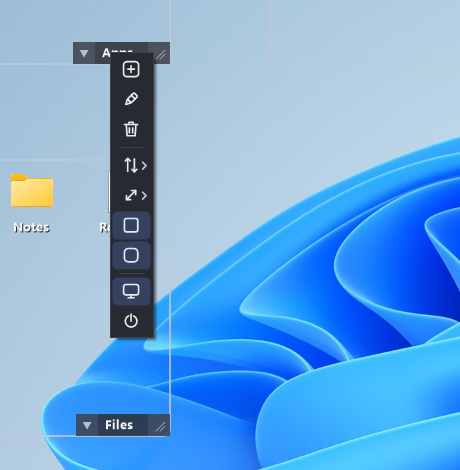
Why your files stay putRight-click an icon and you get the genuine shell menu — Open with, Send to, Share, and every extension you have installed. Not an imitation.
How the menus workThe Store listing is available in 16 languages — and the app itself is icon-driven, so using it barely depends on reading text in any of them.
Languages in detailOne tray process. No background services, no shell extensions, no plugin host, no polling loop. It organizes your desktop and does nothing else.
How it is builtBoard controls live in one small widget in the corner instead of a title bar on every board. With six boards open, that is a tenth of your screen back.
Why there is no title barTransparent boards sit on your wallpaper. Your files never move — DeskDrawer just remembers which drawer each icon belongs to.
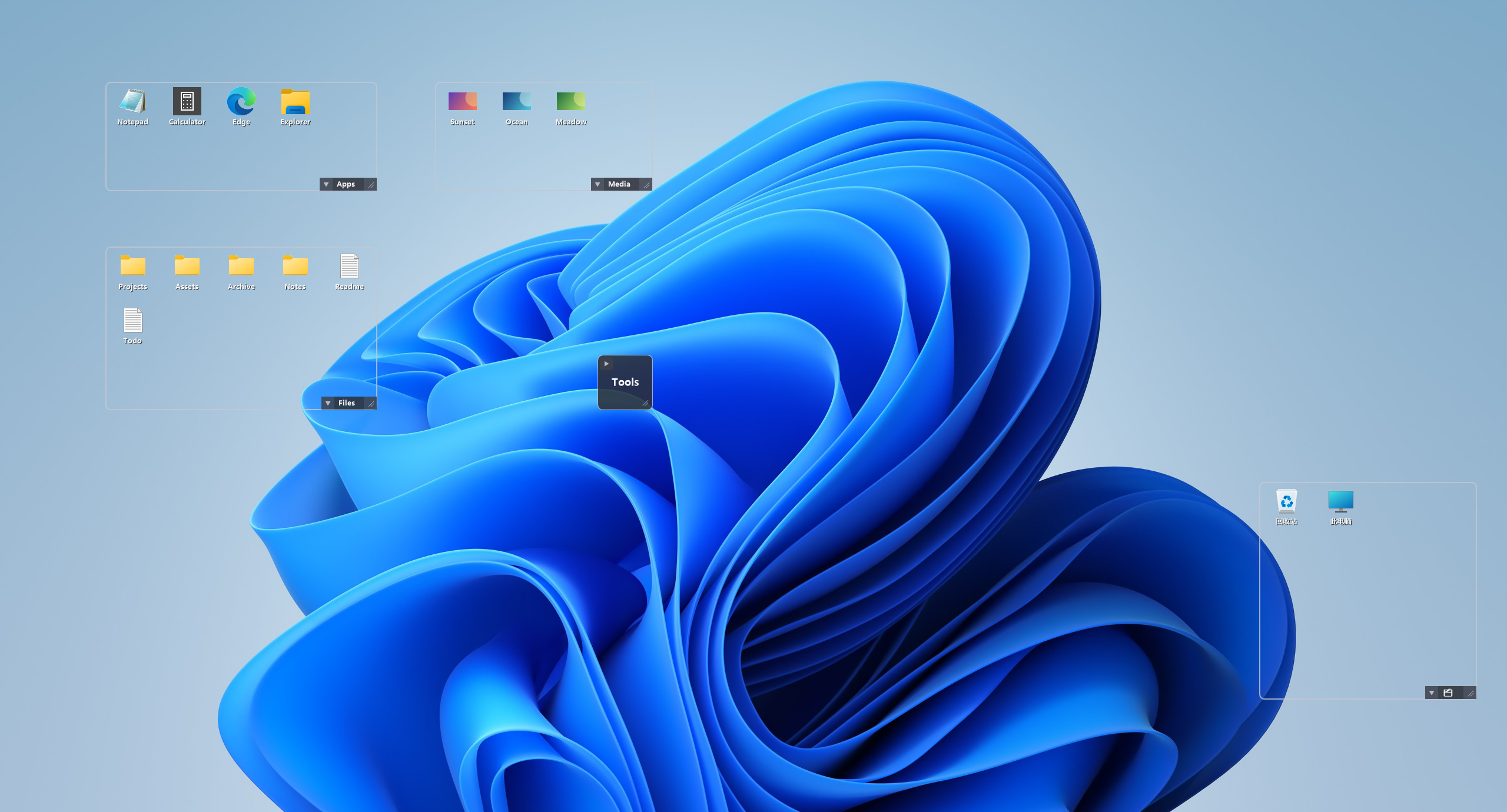
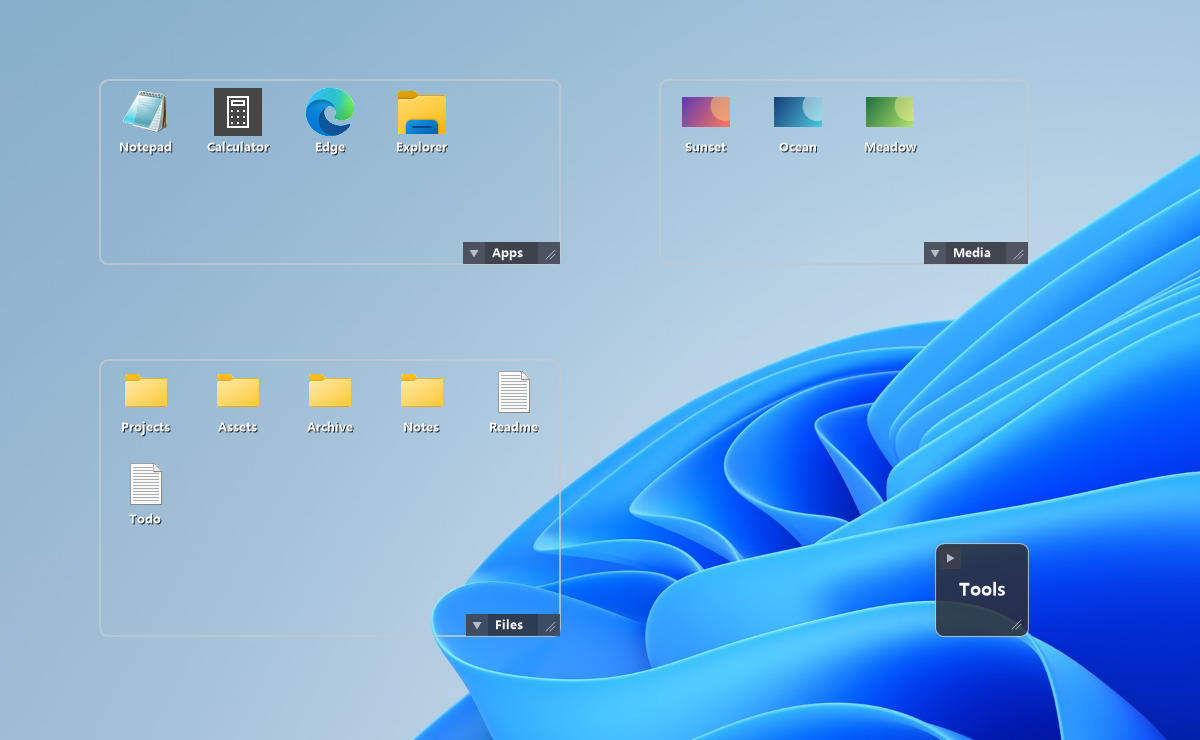
It is the obvious way to deal with a cluttered desktop, and sometimes it is the right answer. Here is where it stops working.
The reason a file is on your desktop is that you want to see it. Dragging it into a folder puts it one double-click away, which is the problem you were trying to solve. A drawer groups your desktop icons while leaving every one of them visible.
Filing moves files, so every path that pointed at them now points somewhere else. A drawer records only which icons belong together, so nothing on disk moves and nothing that referenced it has to be updated.
A desktop you sort into folders on Monday is loose again by Friday, because downloads and screenshots keep landing on it. New items simply join a drawer, so the arrangement holds without you maintaining it.
Most desktop organization tools are large all-in-one suites. DeskDrawer does one job. Here is an honest way to choose.
Choose it if you want a quiet, focused way to group desktop icons — bought once.
Choose one if you want deep customization and a toolkit that goes well beyond grouping icons.
Documentation, honest limitations, and engineering notes about how it is built and what has gone wrong.
21 pages covering every board, menu, gesture and setting.
Open71 straight answers about files, privacy, licensing and Windows behaviour.
Open35 canonical definitions for every concept in the app.
OpenWhy it is built this way, what broke, and what that taught.
OpenGroup your cluttered desktop icons into clean drawers in a couple of minutes. Buy once, keep it for life — no subscription, no account, no telemetry.